

This feature is in beta. Reach out to your account manager to have it
enabled for your Cube Cloud deployment.
Use case
You want each user’s queries to run under their own database identity using OAuth tokens managed by Cube Cloud. When a user’s token is unavailable or expired, Cube falls back to a service account so that connectivity checks and background operations still work. This pattern applies to any data source that supports OAuth, including Databricks and Snowflake. The examples below use Databricks; switch theuserCredentials key and
driver options for any other OAuth-capable data source.
Because every user connects with different credentials, you also need
per-user query orchestrator state. Without this, one user’s cached
connection could leak to another.
Prerequisites
- A Cube Cloud deployment connected to an OAuth-capable data source
- OAuth configured in your data source so that Cube Cloud can obtain per-user tokens (via the User Credentials feature)
- A service account credential (token or password) stored as an environment variable for fallback connectivity
Set up the OAuth app
Before configuring Cube to use per-user OAuth, register your data source as an OAuth app in Cube Cloud:1
Open the OAuth apps settings
In Cube Cloud, go to Admin → Integrations → OAuth apps and click
Add.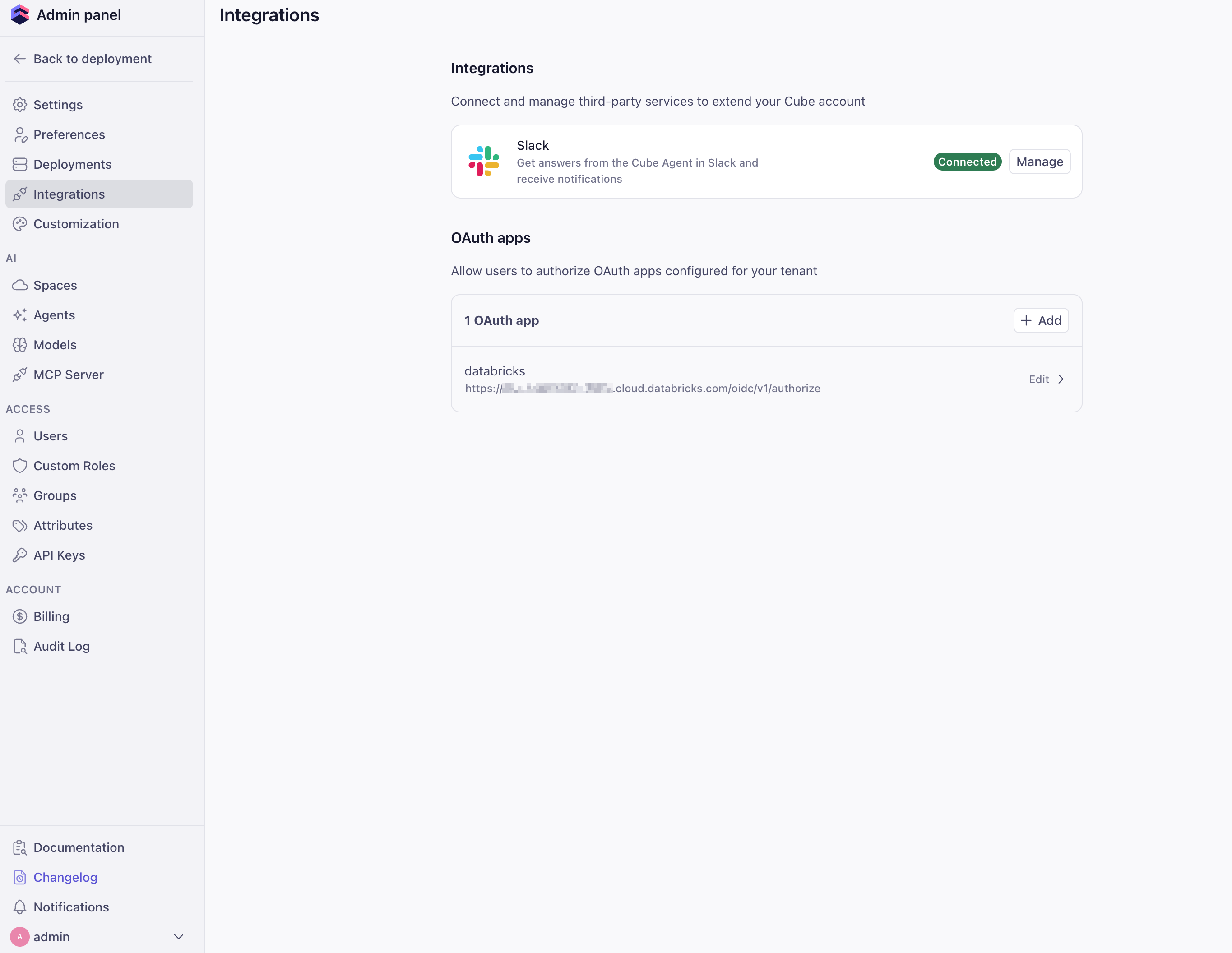
2
Fill out the OAuth app details
Provide the OAuth app metadata from your data source: Name,
Auth URL, Token URL, Client ID, Client Secret, and any
required Scopes. Copy the Redirect URI shown in this form and
register it with your data source’s OAuth provider, then click
Create.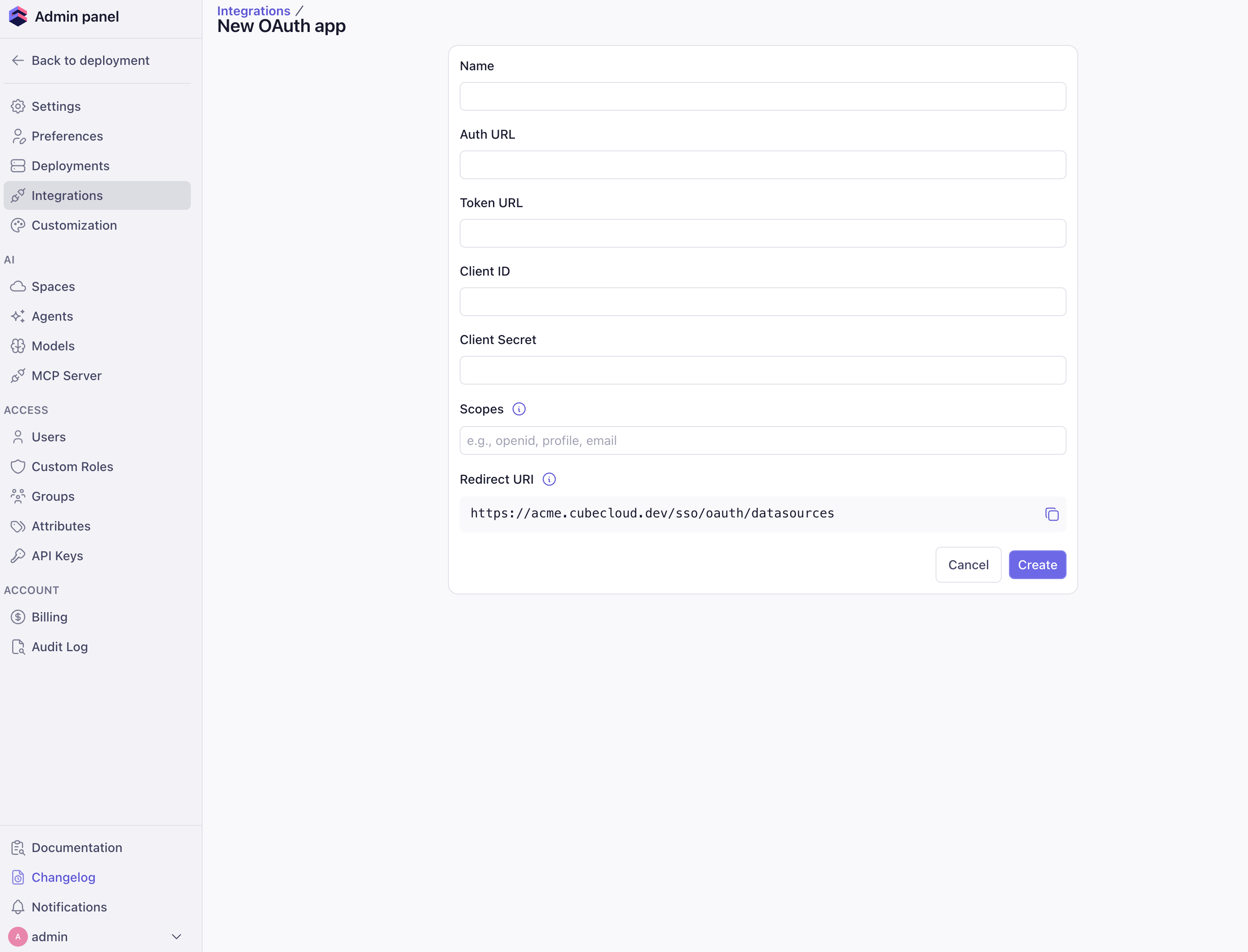
3
Authorize the app
Open the sidebar and go to Connected apps. Find your OAuth app
and click Authorize to generate an access token.You’ll need to repeat this step whenever the token expires.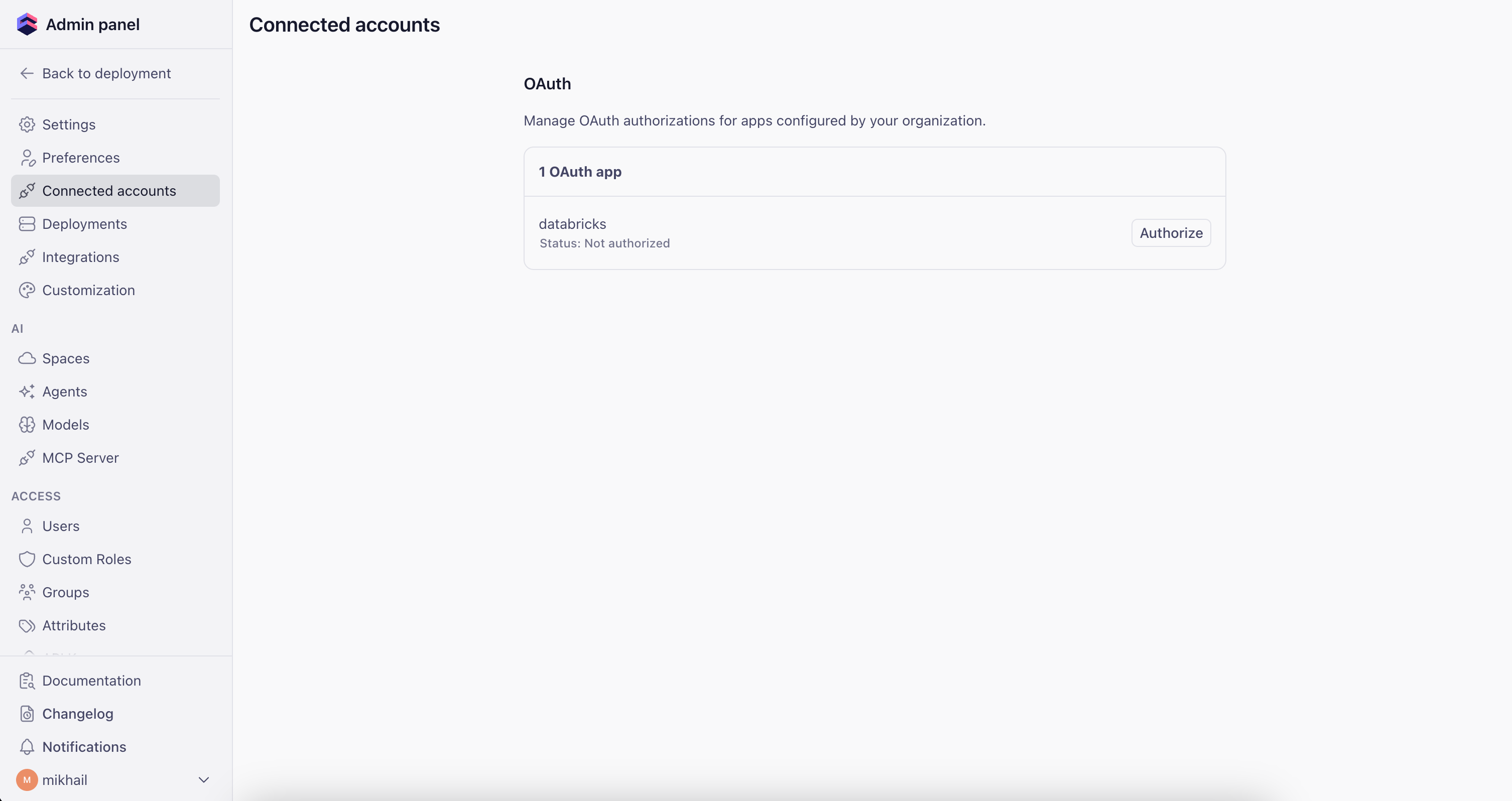
Configuration
The configuration uses two options from the configuration file reference:driver_factory— dynamically selects the authentication credential per requestcontext_to_orchestrator_id— gives each user their own query orchestrator instance (database connections, execution queues, pre-aggregation table caches)
Environment variables
Set the environment variables for your data source. The examples below show Databricks and Snowflake; adapt them to your specific setup.- Databricks
- Snowflake
Configuration file
The examples below use Databricks. To target a different data source, swapuserCredentials.databricks for the matching key (for example,
userCredentials.snowflake) and update the driver_factory return
value with the correct type and driver-specific options. See the
data sources reference for available drivers.
- Python
- JavaScript
cube.py
How it works
-
User makes a request — Cube Cloud attaches the user’s OAuth
credentials to
securityContext.cubeCloud.userCredentials.<data_source>(for example,.databricksor.snowflake). -
driver_factoryresolves the credential — If the credential status isactive, the user’s OAuth token is used. Otherwise, Cube falls back to the service account credential stored in environment variables. -
Per-user orchestrator —
context_to_orchestrator_idreturns a unique key per username, so each user gets their own database connection pool, execution queues, and pre-aggregation table cache. Without this, Cube would share a single cached connection across all users, causing one user’s credentials to be reused for another user’s queries.